SilverBullet
Self-hosted, programmable knowledge base: plain Markdown notes with live queries, backlinks, and an embedded Lua scripting runtime.
Open source alternative to:


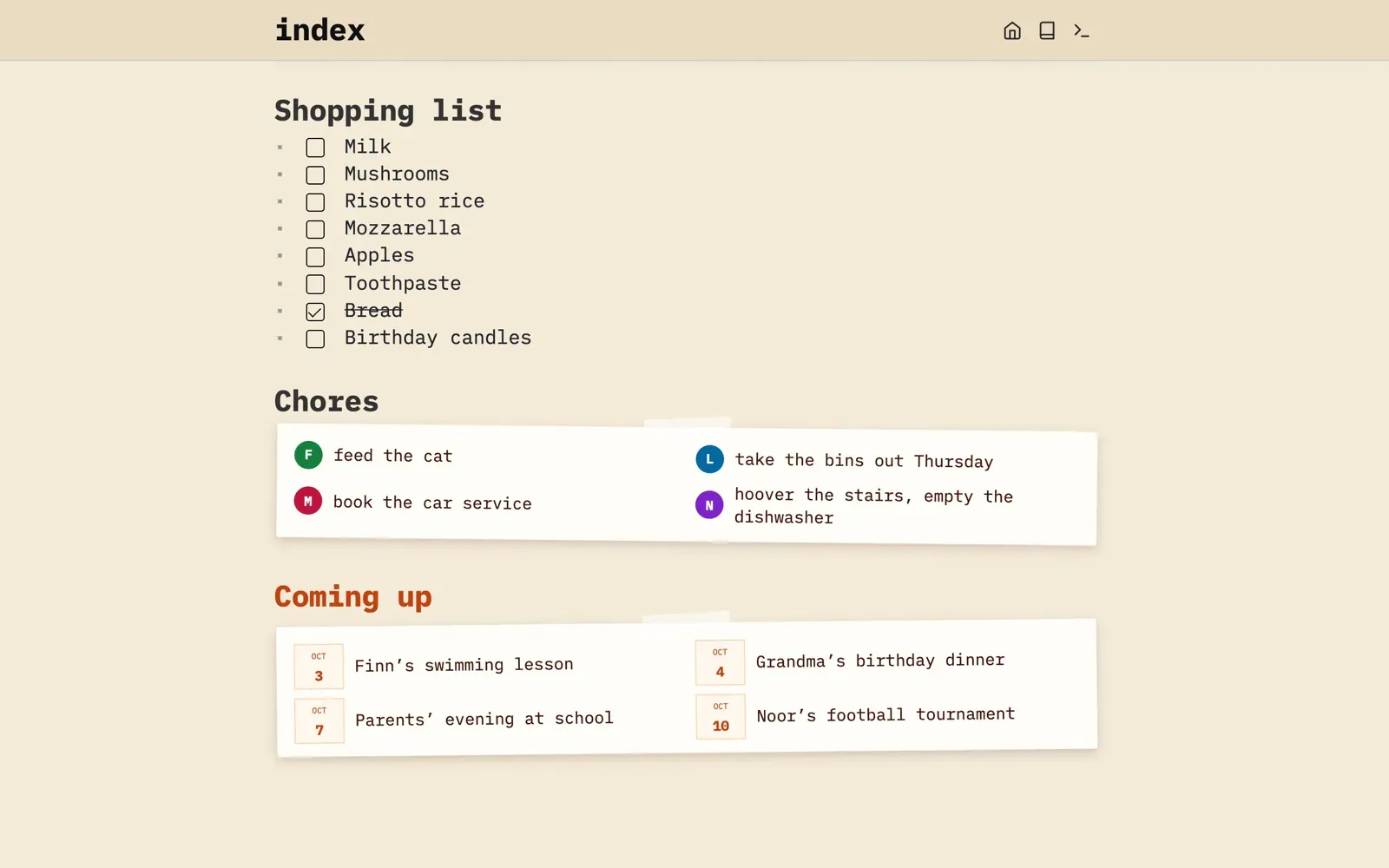
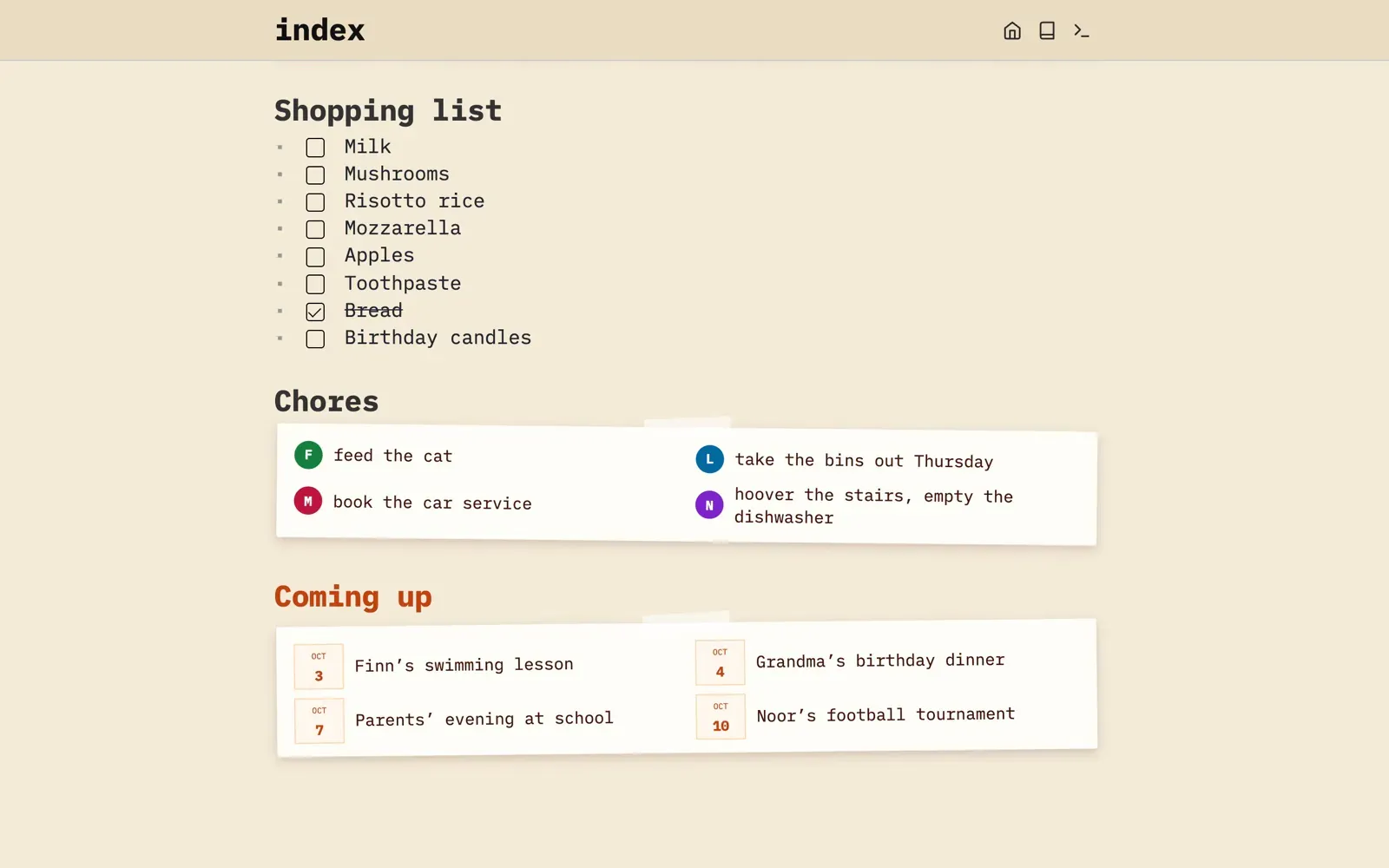
SilverBullet is an open-source, self-hosted knowledge base that stores your notes as plain Markdown files in a folder you control, called a Space. The browser client gives you a clean live-preview editor with bidirectional wiki links, outlining tools, tasks, full-text search, and a command palette, while the built-in query engine turns your notes into a database: query tasks, books, or open decisions across the whole space from inside any page.
Everything is programmable through Space Lua, the embedded Lua dialect: write scripts, custom commands, page templates, and widgets directly in your notes, or extend the app with TypeScript-based plugs. The server backend is a single Rust binary that handles authentication, file and HTTP APIs, and serves the client to any modern browser — light enough for a Raspberry Pi. A Desktop app for macOS, Windows, and Linux adds local spaces and sync, free for personal and education use with a Pro license for work use. Spaces can be shared with multiple accounts, including per-user read/write roles and three-way merge for concurrent edits.
Compared to Notion, your data is plain files you can open in any editor, version in git, and back up however you like — no vendor lock-in, no proprietary format. Compared to Obsidian, it runs from a server you own, so every device — including phones via the browser — sees the same space, with sharing and collaboration built in. Compared to Evernote, nothing sits between you and your files.
Categories:
Build with:


Frequently Asked Questions
Which platforms does SilverBullet run on?
The web client runs in any modern browser, including on phones and tablets. There is also a Desktop app for macOS, Windows, and Linux that is free for personal and education use and requires a Pro license for work use, plus an optional sb command-line client that talks to a running server over HTTP. There is no native mobile app; on mobile you use the browser.
What authentication options does SilverBullet support?
In the default multi-space mode, admins create accounts in the dashboard and control per-space read and write access. Servers can also connect any OpenID Connect provider for single sign-on, including Google Workspace and Pocket ID. Legacy single-space mode uses a username and password set via the SB_USER environment variable, API access works with bearer tokens, and setups using Authelia or Authentik can delegate authentication to a reverse proxy.
Can I import existing notes into SilverBullet?
Yes. A Space is just a folder of Markdown files, so moving from Obsidian, Notion (via Markdown export), or any other Markdown tool is a matter of copying the files into the folder. Images, PDFs, and other attachments live in the same folder and are indexed automatically.
Does SilverBullet have an API or CLI?
Yes to both. The server exposes an HTTP API for files and spaces that authenticates with bearer tokens, and the sb CLI can read and write pages, run Lua expressions and scripts, and self-update. Inside notes, Space Lua provides a full scripting environment, and plugs written in TypeScript extend the app further.
Can several people use the same SilverBullet space?
Yes. Multiple accounts can share a space with per-user read or write roles, and concurrent edits are combined with a three-way merge that is line- and word-aware. Real conflicts surface as Git-style conflict markers with a widget showing both sides, and offline edits reconcile once the connection returns. It is not real-time co-editing in the Google Docs sense, but a shared team wiki is an explicit use case.
OpenAltFinder Score
Project Details
Repository details
Updated 10/11/2026, 1:00:45 AM
View RepositoryRepository activity
Sponsor SilverBullet
Compare SilverBullet with
Similar open source alternatives

Jotted
Self-hosted tasks and notes management with offline support, push reminders, and full-text search in a single Docker container.
 Notion
Quillpad
A free, open-source Android app for markdown notes and task lists with reminders, file attachments, and optional Nextcloud sync.
 Google Keep
Mnemo
Mnemo is a free, open-source desktop study app combining block-based notes, FSRS flashcards, and mind maps with no accounts or tracking.
 Quizlet
NoteDiscovery
A self-hosted knowledge base for note-taking with markdown support, Zettelkasten methodology, and Docker deployment.
Notion
HedgeDoc
Real-time collaborative markdown note editor you can self-host — write together with rich formatting and seamless sharing.
 Google Docs
Many Notes
A Markdown note-taking web application designed for simplicity with vaults, collaboration, and PWA support.
Notion