WordCraft
Open-source Word-style word processor in pure Rust — ribbon, styles, tables, track changes and mail merge.
Open source alternative to:
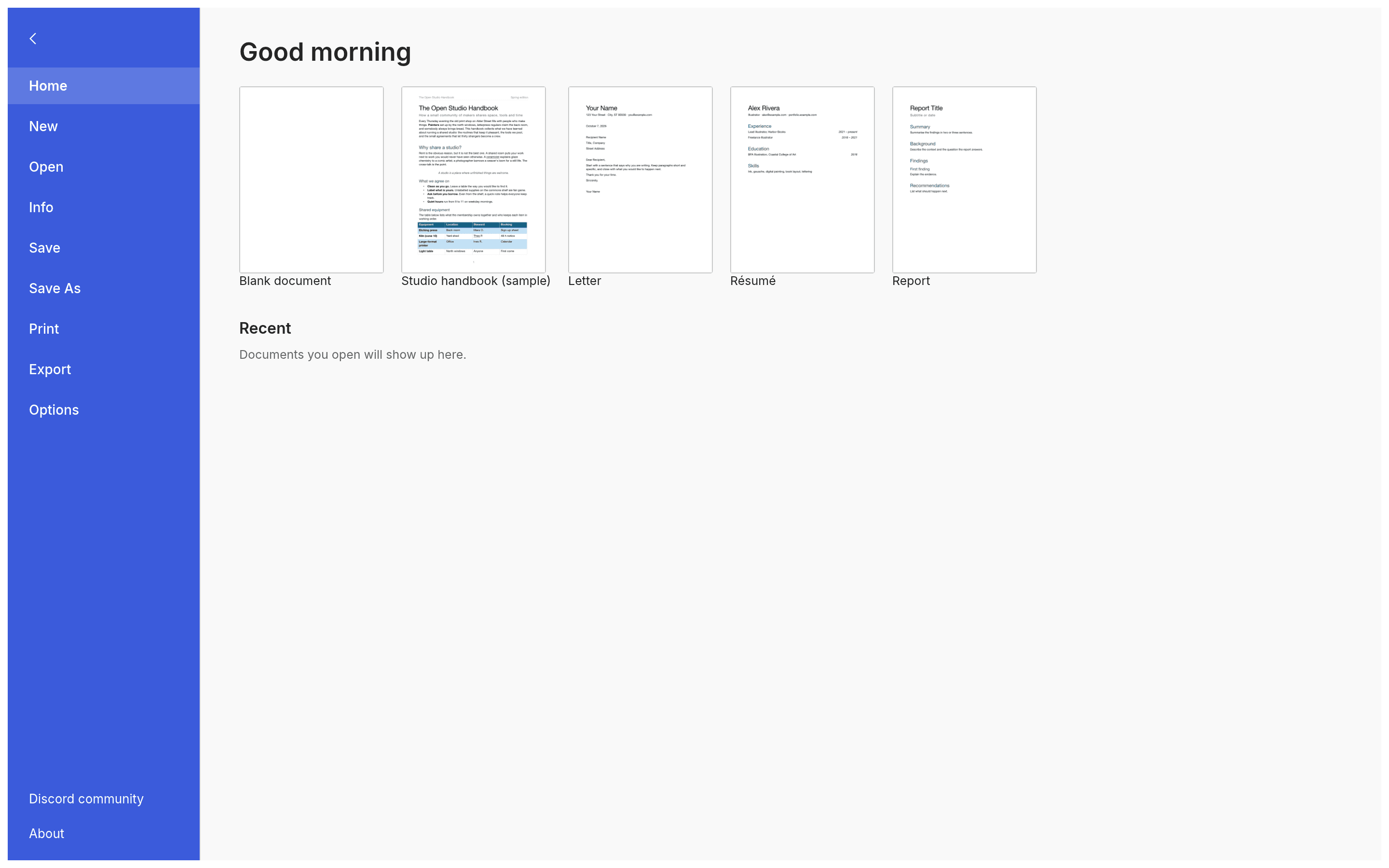
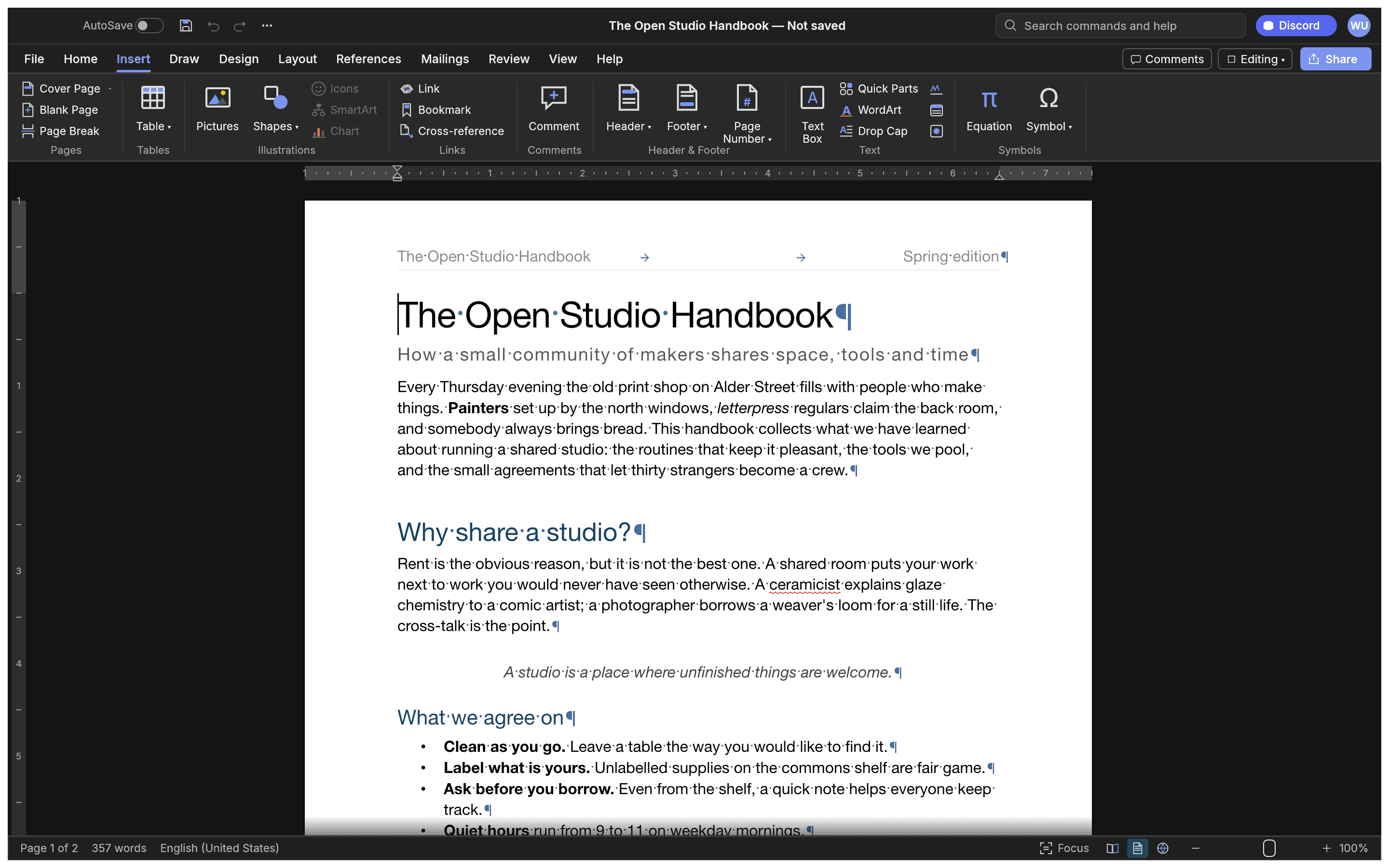
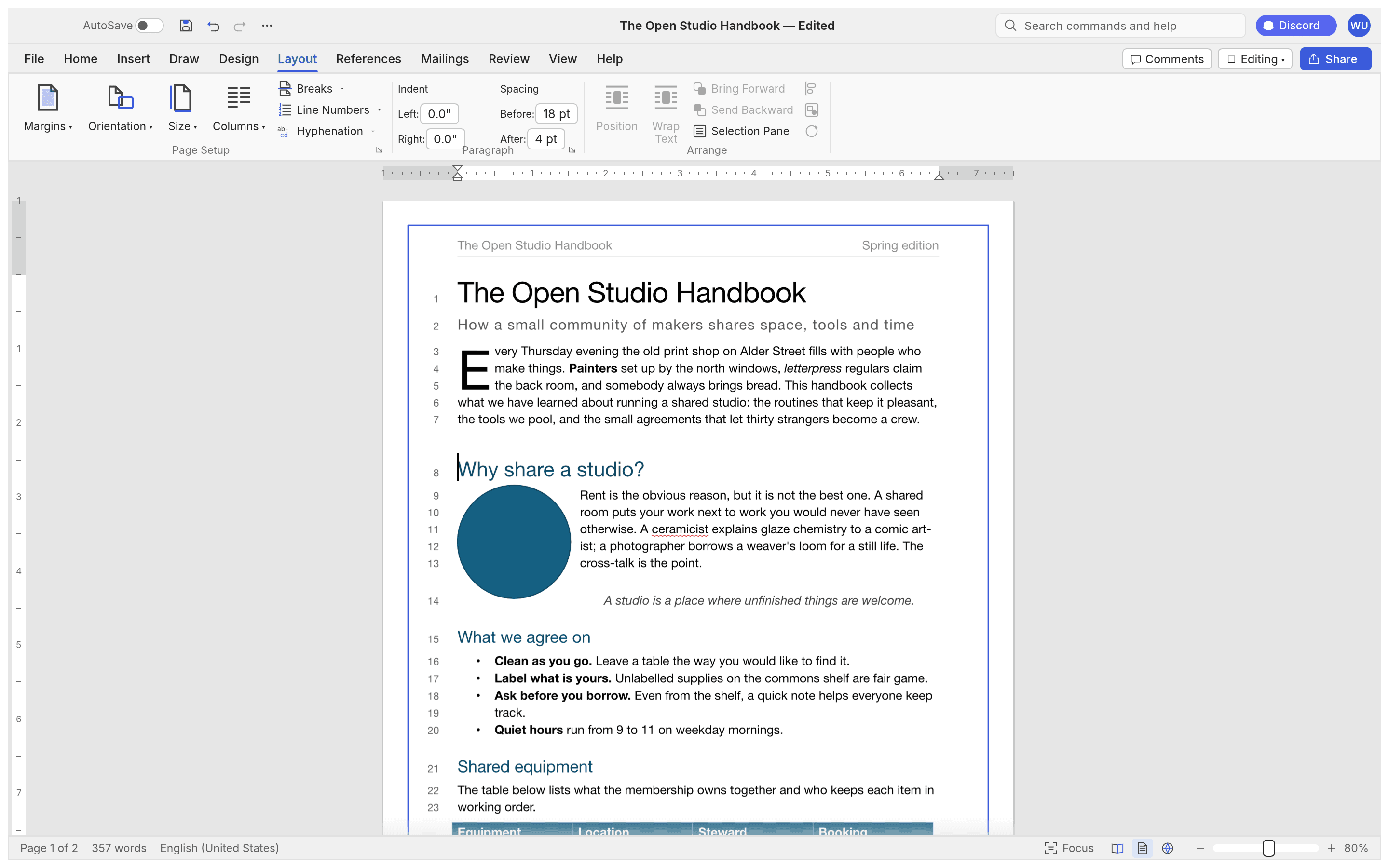
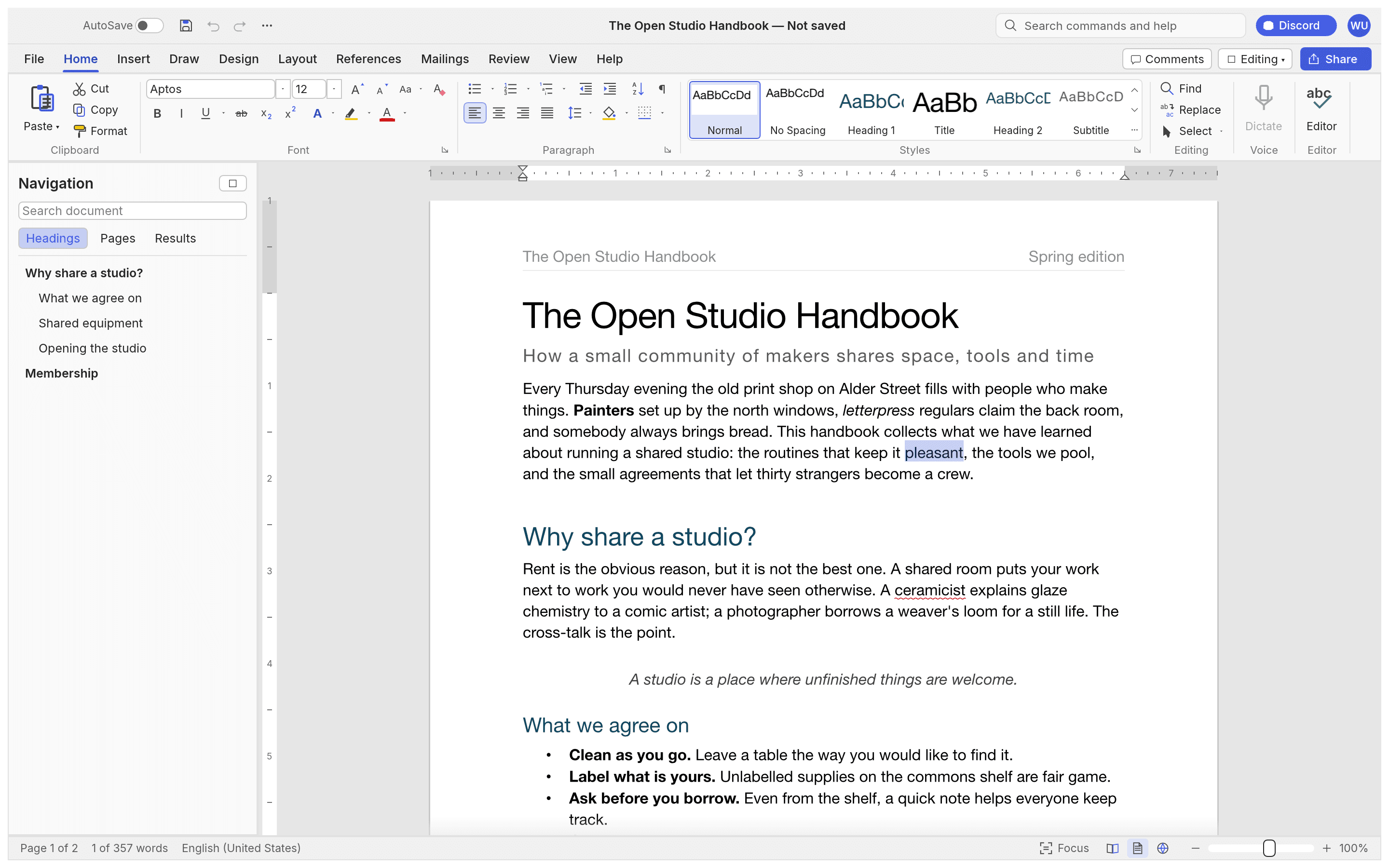
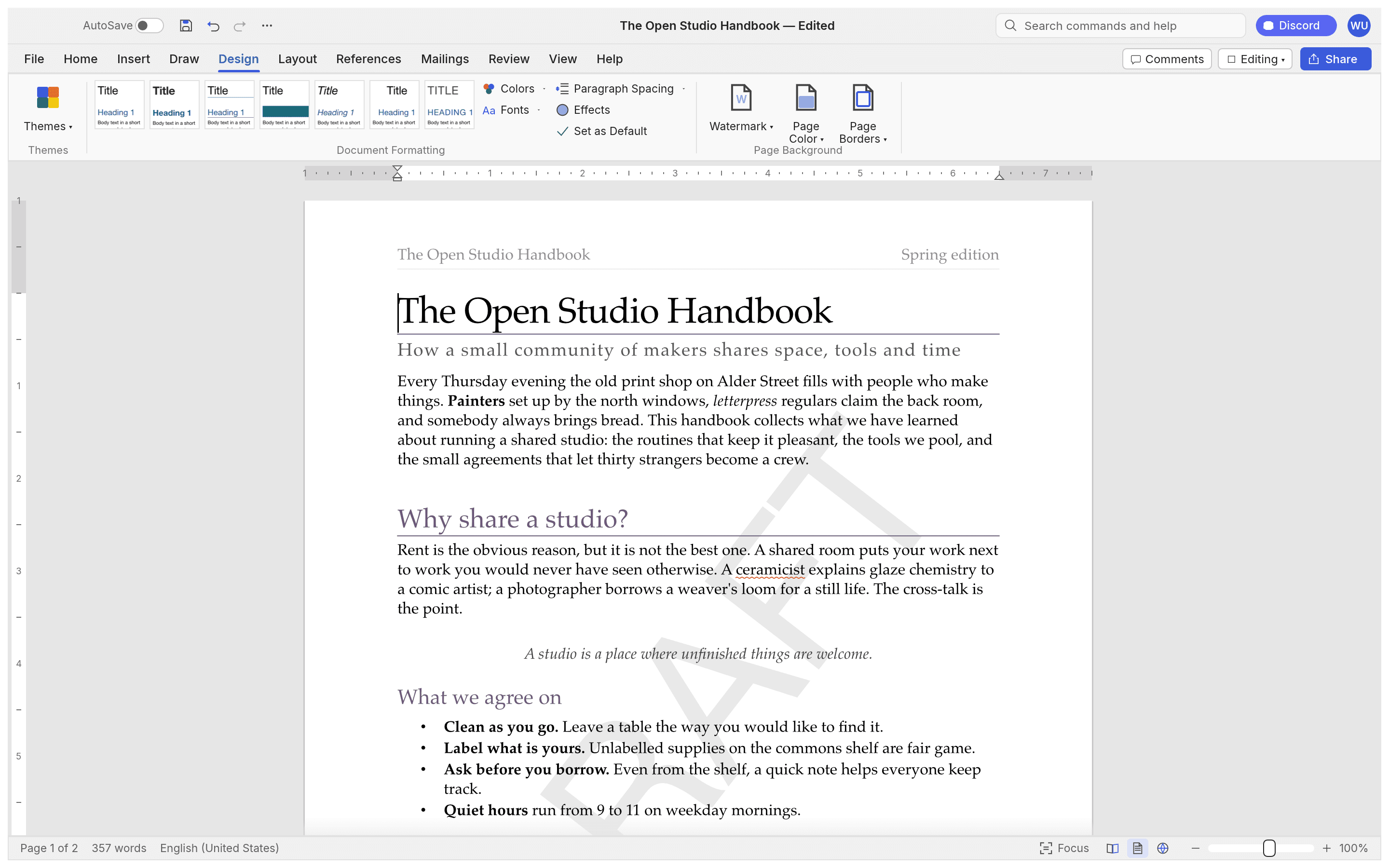
WordCraft is a free, open-source word processor that re-creates the Microsoft Word workflow in pure Rust: the ribbon with its familiar tabs, live style previews in the Styles gallery, rulers and the Navigation pane, and the keyboard behaviour Word users expect (Enter continues a list, Tab demotes it, Ctrl/⌘+B bolds the word under the caret, F4 repeats, F7 checks spelling). One Rust codebase runs natively on macOS, Windows, Linux and BSD and in the browser via WebAssembly — no Electron, no subscription.
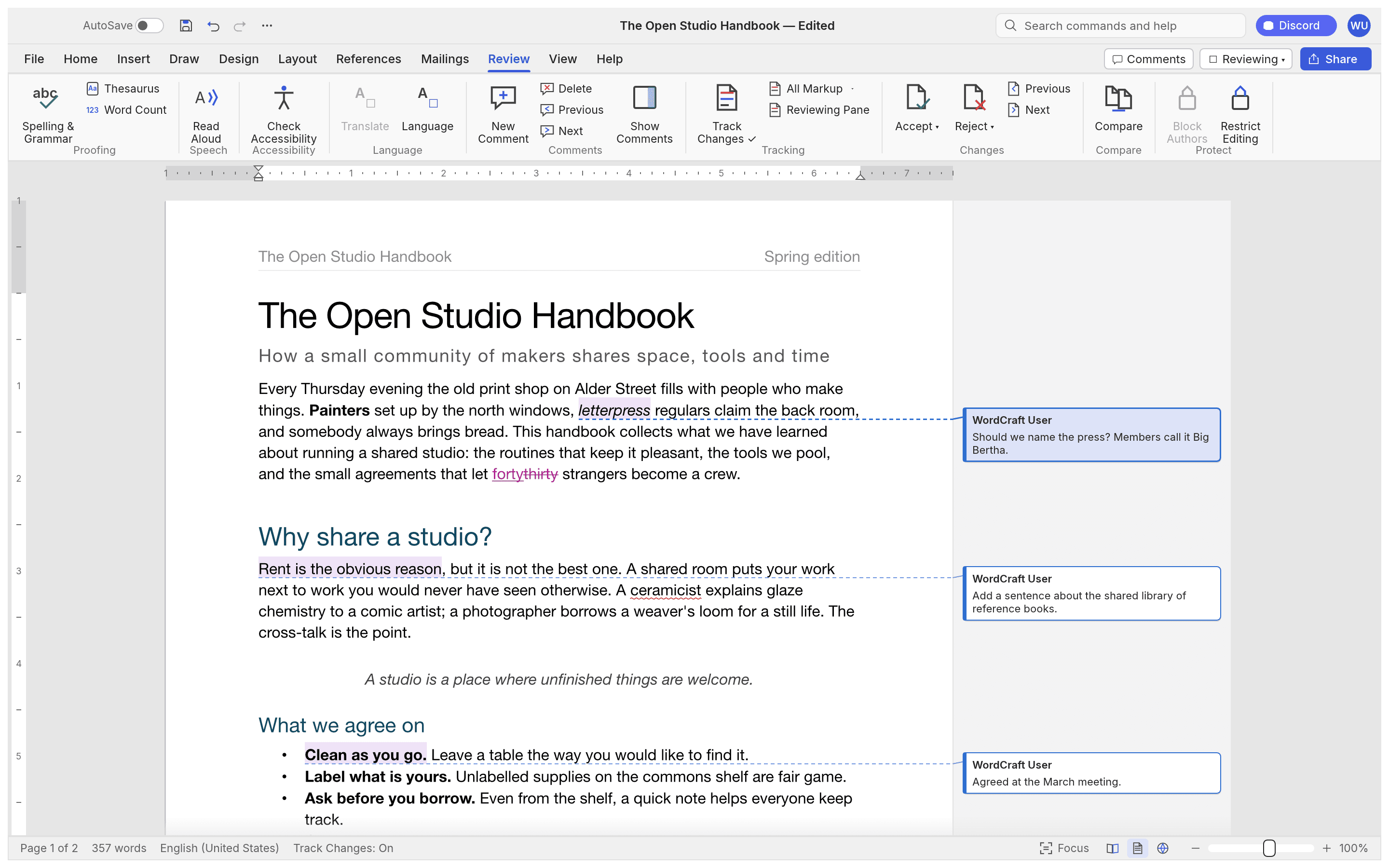
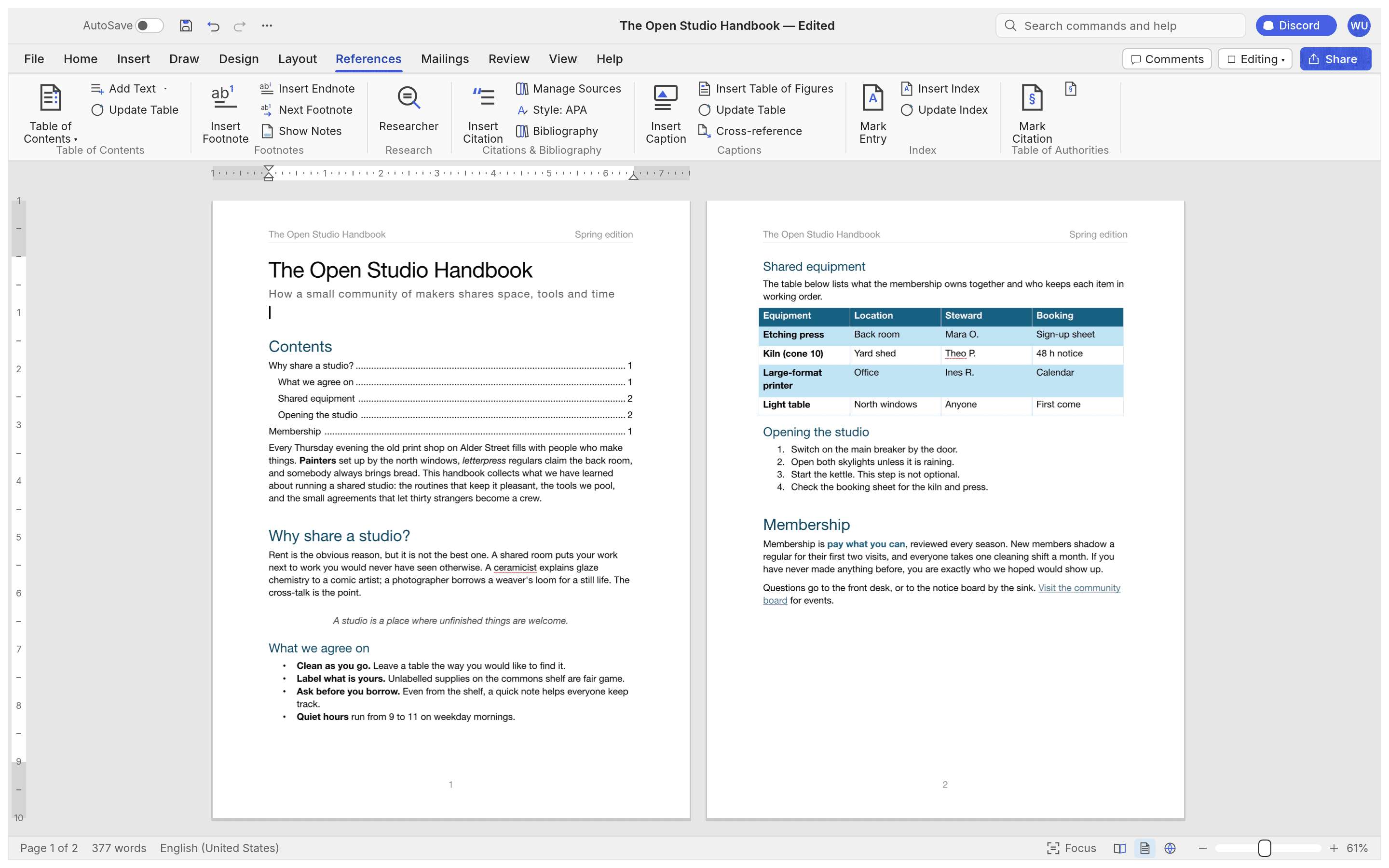
Your documents own it: WordCraft reads and writes .docx, opens Word 97–2003 .doc, and converts .odt, .rtf, .html, .markdown, LaTeX and .txt, exporting to PDF with real, selectable text, links and bookmarks. It is a full document engine — paragraph formatting with draggable indents and tabs with leaders, lists, tables with formulas and header rows repeated across pages, headers and footers with odd/even variants, page numbers, watermarks, line numbers, drop caps and automatic hyphenation; pictures and shapes with text wrapping (square, top and bottom, behind or in front of text), background removal; References: a table of contents, footnotes, citations in APA, MLA, Chicago or IEEE, captions, cross-references and an index. The Review tab does track changes, margin comment balloons with accept and reject, document compare, an accessibility checker and offline spelling and grammar, and the Mailings tab runs a real mail merge from CSV with envelopes and labels.

Frequently Asked Questions
Which platforms does WordCraft run on?
WordCraft ships a signed and notarized universal macOS app, code-signed Windows installers for x64, x86 and Arm, Linux builds as AppImage, Flatpak, deb, rpm and tarballs for x86_64 and aarch64 (community AUR packages included), a FreeBSD tarball, and a static WebAssembly build for any browser.
Which file formats can WordCraft open, save and convert?
It reads and writes .docx and opens Word 97-2003 .doc; .odt, .rtf, .html, .md, .tex, .txt and page images work both ways. PDF export produces real, selectable text with links and bookmarks. The wordcraft-cli tool converts between docx, pdf, odt, rtf, html, md, tex, txt and png from the command line.
Does WordCraft support track changes and comments?
Yes. The Review tab turns track changes on with insertions, deletions and comments in margin balloons, and you can accept or reject them. It also compares documents, restricts editing, checks accessibility, counts words and checks spelling and grammar with suggestions as you type — all offline.
Can WordCraft do citations, references and mail merge?
Yes. It builds a table of contents, footnotes and endnotes, captions and a table of figures, cross-references, an index and a table of authorities. Citations and bibliographies render in APA, MLA, Chicago or IEEE style. Mail merge pulls from CSV with merge fields, an address block, a greeting line and rules, finishes to a document, and handles envelopes and labels.
Can scripts or AI agents drive WordCraft?
WordCraft was designed to be driven by people and by AI agents: the same 422 commands power the ribbon, keyboard shortcuts, the wordcraft-cli tool, a JSON control channel and an MCP server. Agents can list, execute and batch commands, type and select text, inspect the document as JSON to verify their work, and render pages or take screenshots.
OpenAltFinder Score
Project Details
Repository details
Updated 10/12/2026, 4:00:15 AM
View RepositoryCompare WordCraft with
Similar open source alternatives

Collabora Online
Collabora Online is a powerful open-source office suite built on LibreOffice. Edit documents, sheets, and slides together in self-hosted environments with full file compatibility.
 Google Docs
Etherpad
Open-source real-time collaborative text editor you can self-host.
Google Docs
ONLYOFFICE
Self-hosted office suite with real-time collaboration.
Google Docs
CryptPad
CryptPad is an end-to-end encrypted, zero-knowledge collaborative office suite. Write, edit, and share documents, sheets, and code with confidence that servers never read them.
Google Docs
HedgeDoc
Real-time collaborative markdown note editor you can self-host — write together with rich formatting and seamless sharing.
Google Docs
LibreOffice
A powerful free and open source office suite with word processing, spreadsheets, presentations, and more.
 Microsoft 365