
WolfCut
An open-source desktop video editor that mirrors the CapCut workflow without watermarks, paywalls, or account requirements.
Open source alternative to:
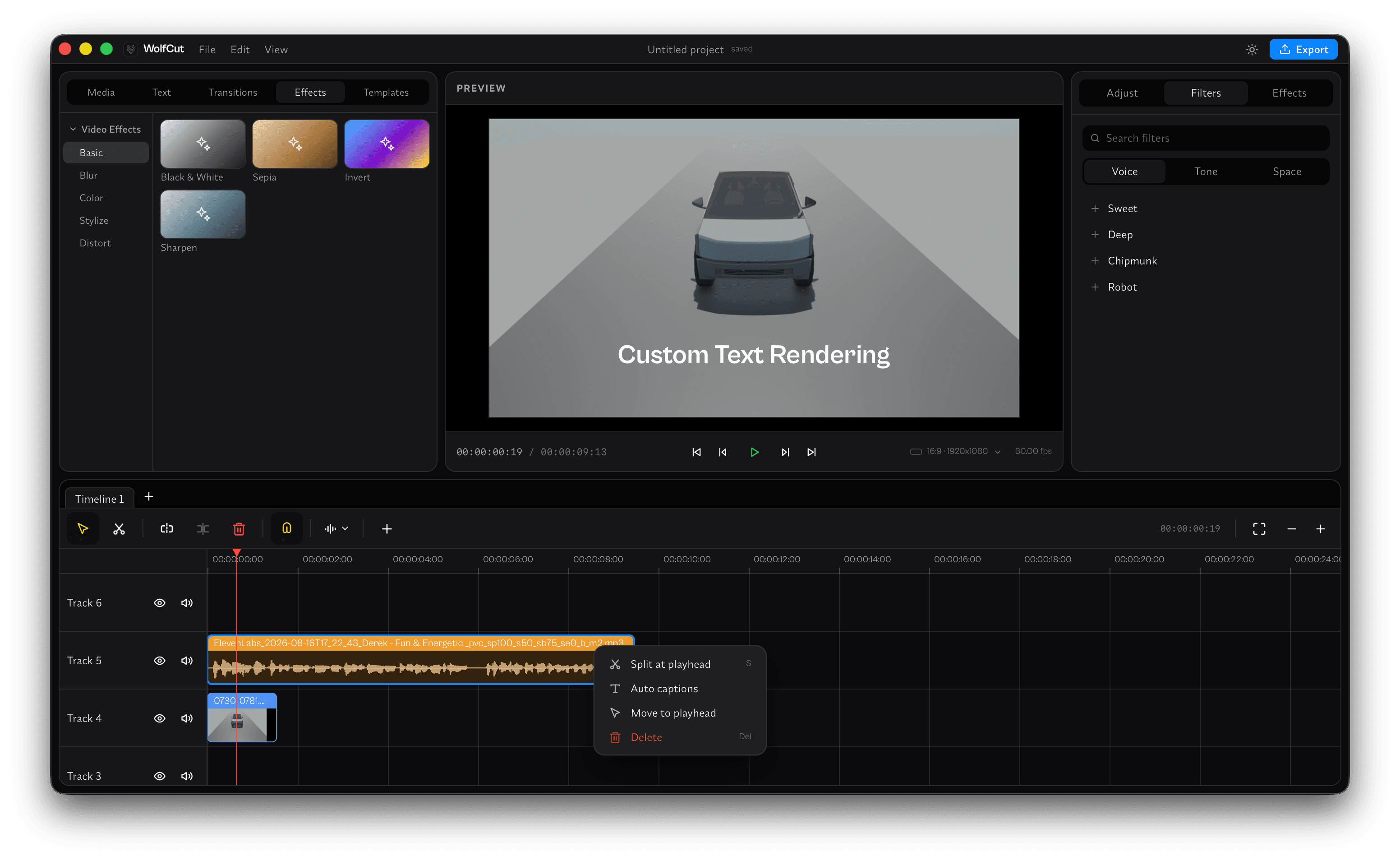
WolfCut is a free, open-source desktop video editor built as a direct replacement for CapCut. It pairs a native Rust editing engine with a React-based interface wrapped in Tauri, so everything runs locally on your machine. There is no account to create, no watermark on exports, and no subscription gating core features.
The editor covers the core workflow CapCut users rely on: a multi-track timeline for arranging clips, audio, and effects; free voice filters; and automatic caption generation powered by local Whisper transcription, so your footage never leaves your computer. You can also save editing setups as templates and re-apply them to future projects, which is handy for series content or recurring formats.
Compared to CapCut, WolfCut trades the cloud-driven feature set (stock libraries, cloud sync, team spaces) for local privacy and freedom from paywalls. It runs on Windows, macOS, and Linux, with installers available directly from its GitHub Releases page. The project is young and under active development, so expect a fast-moving feature set.
Categories:
Build with:




Frequently Asked Questions
Which platforms does WolfCut support?
WolfCut ships native desktop builds for Windows, macOS, and Linux. All three are distributed as installers through the GitHub Releases page, and Windows and macOS builds are the ones actively tested by the maintainer.
Does WolfCut require an account or an internet connection?
No. You install the app and start editing immediately — there is no account, no sign-in, and no extra downloads or setup. The editing engine, voice filters, and transcription all run locally on your machine.
How does auto-captioning work in WolfCut?
WolfCut includes free local auto-captions built on Whisper transcription. The audio is processed on your own hardware rather than uploaded to a cloud service, so captioning works offline and your footage stays private.
Can I reuse my editing setup across projects?
Yes. WolfCut lets you save a project arrangement as a template and re-apply it to new projects. This is useful for recurring formats like weekly series, intros, or standardized social clips.
Is WolfCut stable enough for daily use?
It is an early project — currently at version 0.1.0 and under active development, and the README warns that things move fast and edges are sharp. Core editing, captions, and templates already work, but expect frequent updates and occasional rough edges.
Looking for contributors
This project is actively seeking help, join the community!
OpenAltFinder Score
Project Details
Repository details
Updated 10/12/2026, 10:00:14 AM
View RepositoryRepository activity
Compare WolfCut with
Similar open source alternatives

OpenCut
OpenCut is a free, open-source video editor for the web. It's a privacy-friendly CapCut alternative with a full timeline, effects, transitions, and easy exports you can run anywhere.
 Canva
Canva
tscaps
Open-source, in-browser video editor focused on subtitles and short-form content. Transcribe with Whisper, style with CSS, export burned-in captions.
 Submagic
OpenPost
Open-source social media manager for writing, designing, scheduling, and tracking posts — an alternative to Buffer, Canva, and CapCut.
 Buffer
LosslessCut
Cross-platform FFmpeg GUI for lossless video and audio cutting, merging and remuxing — no re-encoding, no quality loss.
 Adobe Premiere Pro
Drift
Free, open-source desktop video editor for Linux, Windows, and macOS built with Qt 6 and FFmpeg.
 CapCut
FableCut
A browser-based video editor built for humans and AI agents. Edit with a drag-and-drop UI, a JSON timeline, MCP tools, or its REST API.
Adobe Premiere Pro